If you work at Microsoft, most of the attention in your pay package goes to RSUs and the ESPP. The 401(k) runs quietly in the background, and that's where money can get left behind. The match only reaches its maximum if you contribute the full IRS limit, and after-tax contributions with Roth conversion stay off until you switch them on. For 2026, the match alone can be worth up to $12,250 a year, and you can put up to $72,000 a year into the plan before catch-up contributions. This article walks through the steps to maximize the value of your Microsoft 401(k).
A primer on how the plan works
Fidelity is the trustee and third-party administrator of the Microsoft Corporation Savings Plus 401(k) Plan, and you manage your account through Fidelity NetBenefits. You can contribute in whole percentages from 1% to 65% of eligible pay, split across three types of contribution - pre-tax, Roth and after-tax. Eligible pay includes salary, performance bonuses, commissions and overtime. It excludes equity compensation, so your RSU vests don't count. It also excludes bonuses that aren't based on performance, such as signing, relocation and retention bonuses.
| Feature | The plan's terms |
|---|---|
| Enrollment | You enroll yourself. There is no automatic enrollment |
| Employer match | 50% of pre-tax and Roth deferrals, up to the $24,500 IRS limit |
| Maximum match | $12,250 |
| Vesting | 100% vested at all times, including the match |
| After-tax limit | $35,250 |
| Roth conversion | Any time, with an optional automatic same-day conversion |
1. Capture the full match
Microsoft matches 50 cents on every dollar you defer as pre-tax or Roth, up to the IRS deferral limit of $24,500 for 2026. That makes the maximum match $12,250. The cap is in dollars rather than a percentage of each paycheck, so you collect all of it by deferring the full $24,500 during the year. The match is deposited each pay period as you contribute, and it's yours immediately.
Here's how that works on a hypothetical $200,000 of eligible pay. An election of 10% defers $20,000 and earns a $10,000 match, which leaves $2,250 of match uncollected. To reach $24,500 you need 12.25% of pay, which rounds up to a 13% election. At 13%, if your pay arrives in 24 equal semi-monthly paychecks with no bonus, your deferrals reach the limit before year end. The plan's summary description states that reaching the limit early still earns the maximum match, so under the plan's current terms, contributing faster does not reduce the match.
Keep in mind that annual review bonuses count as eligible pay, so your election is taken from a bonus check too. Catch-up contributions and after-tax contributions are not matched.
2. Choose pre-tax or Roth or both
Your $24,500 can go in pre-tax, as Roth, or as any mix of the two, and Microsoft matches either one the same way. Pre-tax contributions lower your taxable income now, and withdrawals are taxed as income in retirement. Roth contributions are taxed now, and qualified withdrawals come out tax-free.
The choice comes down to your tax rate today against your expected rate in retirement. A year with large RSU vests can push your income into a higher bracket, which tends to favor pre-tax. Qualified Roth withdrawals don't add to taxable income later, which can give you more flexibility in retirement. Roth 401(k) money is also exempt from required minimum distributions during your lifetime.
3. Make catch-up contributions
The year you turn 50, you can contribute an extra $8,000 for 2026 on top of the $24,500. If you turn 60, 61, 62 or 63 during the year, the extra amount is $11,250 instead of $8,000. In the year you turn 64, the limit drops back to $8,000. Catch-up contributions are not matched.
A new rule applies from 2026. If your FICA wages from Microsoft for 2025 were more than $150,000 (Box 3 of your W-2), your catch-up contributions must be Roth. Your regular $24,500 can still be pre-tax. Microsoft says that once you reach the regular limit, catch-up contributions will automatically begin on a Roth basis, so check your elections in NetBenefits to confirm how yours are set.
4. Decide on the mega backdoor Roth
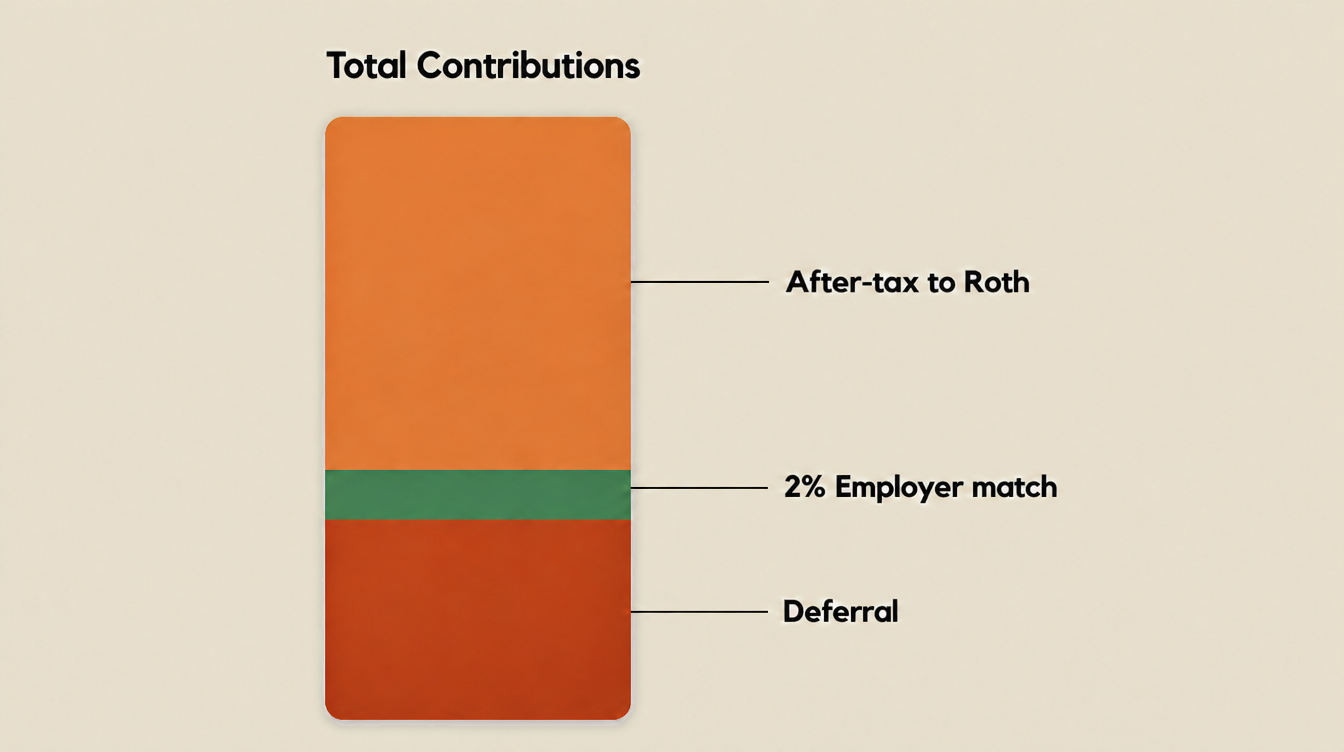
The IRS caps the total that can go into your 401(k) in a year, counting your deferrals, the employer match and after-tax contributions together, at $72,000 for 2026. Catch-up contributions sit on top of the $72,000. Microsoft sets its after-tax limit at $35,250, which is exactly the room left for someone who defers $24,500 and receives the full $12,250 match.
| Contribution | Amount |
|---|---|
| Pre-tax or Roth deferrals | $24,500 |
| Microsoft match | $12,250 |
| After-tax contributions | $35,250 |
| Total | $72,000 |
After-tax contributions have already been taxed, but left alone their earnings grow tax-deferred and are taxed as income when withdrawn. Converting the money to Roth can address that, and Microsoft's plan offers two ways to do it:
- In-plan Roth conversion. In NetBenefits, you can elect to have Fidelity convert new after-tax contributions to Roth on the same day they're contributed. The election only covers contributions made after you set it up, and there's no annual limit on conversions. This conversion is not on automatically - you have to make the election in NetBenefits. Skip it, and the growth on your after-tax contributions is taxable as income when you withdraw it in retirement.
- In-service withdrawal. While you're still employed, you can withdraw your after-tax balance and roll it to a Roth IRA.
The mega backdoor Roth also works alongside pre-tax contributions. You can make your regular $24,500 as pre-tax contributions and use separate after-tax contributions for Roth conversion, because Microsoft's plan lets you combine pre-tax, Roth and after-tax contributions in the same year and offers automatic same-day conversion of the after-tax money. For a high earner weighing today's tax break against future Roth savings, that means you can keep the upfront tax break on your regular contributions and still build a Roth balance with the after-tax room.
The conversion itself isn't taxed on the money you put in, because you've already paid tax on it. Any earnings between the contribution and the conversion are taxable, and a same-day conversion generally keeps that amount small. Federal tax isn't withheld on the conversion, so any tax due on earnings is yours to plan for.
Check the cash flow before you start. In the example above where we max out the 401(k), $59,750 comes out of your paycheck across the year, and your combined election can't exceed 65% of eligible pay per pay period. Money converted to Roth also follows Roth withdrawal rules, so it is generally less accessible before 59½ than the same dollars in a taxable account - weigh that against other goals before committing cash to it.
That $59,750 also competes with everything else your paycheck funds. If you're in the ESPP, up to another 15% of eligible pay is withheld from each paycheck to buy Microsoft stock at the end of each quarter. Tax withheld on vesting RSUs can fall short of what you owe, and the difference comes due in cash at tax time. And the money you'll need before retirement - a home purchase, a child's tuition or a gap between jobs - has to stay somewhere you can reach it. One way to sequence it is to capture the full match first, set aside cash for any tax due on your RSUs and for any ESPP contributions you've chosen to make, keep enough accessible for the next few years' plans, and only then decide how much of the after-tax room to use. The right order depends on the household, and the 401(k) election is easier to set once the other pieces are mapped out.
5. Build your portfolio
The plan's investments come in three tiers. The first is a series of BlackRock LifePath Index target-date funds, from a Retirement fund through 2070, and if you never make an investment choice, your money goes into the one matched to your birth year, assuming you retire at 65. The second is a core lineup of individual funds, including index options that track the S&P 500 and the Russell 1000 Growth and Value indexes, actively managed stock and bond options, and a stable value option. The third is Fidelity BrokerageLink, a self-directed brokerage account inside the plan.
Microsoft stock is not an option for new contributions or transfers. The plan closed it many years ago, although employees who held it before then can keep those shares and reinvest their dividends.
Your paycheck, your unvested RSUs and any ESPP shares already depend on Microsoft's performance. Some employees weigh that existing exposure when choosing 401(k) investments - whether it matters for you depends on your full financial picture. The lineup also changed during 2025, and some options were replaced, so check current funds and fees in NetBenefits rather than relying on an older list.
Putting it together
The five steps come down to a handful of elections, summarized below.
This is a summary of how the plan works, not a recommendation. How much to contribute, how to split pre-tax and Roth, and which investments to hold depend on your full financial picture, your tax situation and your goals. The dollar examples in this article are hypothetical illustrations, not projections or results. Plan terms can change, so confirm the current terms in NetBenefits before acting.
| Decision | What to check |
|---|---|
| Capture the match | Deferrals reach $24,500 by year-end |
| Pre-tax or Roth | Your tax rate now against your expected rate in retirement |
| Catch-up | Your age at year-end, and whether 2025 Microsoft FICA wages topped $150,000 |
| Mega backdoor Roth | After-tax election, same-day conversion switched on, and cash flow |
| Investments | Your total Microsoft exposure across RSUs, ESPP and shares |
Check out our guide to the Microsoft ESPP for more ways to maximize your Microsoft benefits. Our RSU Tax Gap Calculator estimates the shortfall between what's withheld on your vesting RSUs and what you actually owe.
If you're deciding how much to direct toward your Microsoft 401(k), we can help you coordinate those elections with your RSUs, ESPP participation, and tax plan. Schedule an introductory conversation.
Disclosures: The information provided is for educational and informational purposes only and does not constitute investment, tax, or legal advice and should not be relied on as such. It is not a solicitation to buy or an offer to sell any security. It does not take into account any individual's particular investment objectives, financial situation, or needs. You should consult your own financial advisor, tax advisor, or attorney before acting on any information herein. All investing involves risk, including the possible loss of principal. Figures and tax limits referenced are for the applicable tax year and are subject to change. Valence Wealth, LLC is a registered investment advisor in the State of Arizona. Registration does not imply any specific level of skill or training. Valence Wealth is not affiliated with, endorsed by, or sponsored by Microsoft Corporation, Fidelity Investments, BlackRock, or any fund company. Plan terms are summarized from Microsoft's public filings and plan documents as of the date of publication and can change at any time. References to any fund, fund company or security, including Microsoft stock, describe the plan's investment menu and are not a recommendation to buy, sell or hold. Hypothetical examples are not actual results or forecasts.
Sources
- Microsoft Corporation Savings Plus 401(k) Plan, Form 11-K for the plan year ended December 31, 2025U.S. Securities and Exchange Commission
- Microsoft Corporation Savings Plus 401(k) Plan, Summary Plan Description, January 1, 2025Microsoft
- Microsoft US Benefits: 401(k) Savings PlanMicrosoft
- Microsoft US Benefits: changes to the Microsoft 401(k) effective January 1, 2026Microsoft
- Microsoft US Benefits: Roth conversionsMicrosoft
- Microsoft Corporation Savings Plus 401(k) Plan, Form 5500 for plan year 2025U.S. Department of Labor
- IRS: 401(k) limit increases to $24,500 for 2026 (IR-2025-111)Internal Revenue Service
- IRS Notice 2025-67: 2026 limitations for retirement plansInternal Revenue Service
- Final regulations on catch-up contributions (Roth catch-up rule)Federal Register
- IRS Notice 2014-54: allocation of after-tax amounts to rolloversInternal Revenue Service
- 401(k) contribution limits for 2026Fidelity Investments
- Microsoft US Benefits: contribution optionsMicrosoft
- Microsoft US Benefits: investment optionsMicrosoft
- Microsoft US Benefits: 401(k) in-service withdrawalsMicrosoft
- IRS: retirement topics, catch-up contributionsInternal Revenue Service
- IRS Notice 2010-84: in-plan Roth rolloversInternal Revenue Service
- Microsoft 2021 Proxy Statement, Annex A: Employee Stock Purchase PlanU.S. Securities and Exchange Commission
- Microsoft Form 10-K for fiscal year 2026, Note 17: Employee Stock and Savings PlansU.S. Securities and Exchange Commission
- IRS Publication 15 (Circular E), supplemental wagesInternal Revenue Service