Intel 401(k) enrollment and eligible pay
The Intel 401(k) Savings Plan covers eligible U.S. employees from their date of hire. Fidelity is the plan's record keeper, and you manage your account through Fidelity NetBenefits. If you don't make an election, the plan enrolls you about 45 days after you become eligible at 5% of pay, pre-tax, and invests the money in a target date fund based on your age. The default regular-pay election rises by two percentage points with the first payroll period ending on or after April 1, starting the year after enrollment, until it reaches 15% or you set your own rate.
You can contribute in whole percentages of eligible pay, split across three types of contribution - pre-tax, Roth and after-tax - up to a combined 50% of eligible pay. Eligible pay includes salary, bonuses, commissions, overtime and shift differentials. It excludes income from Intel's stock option, stock purchase and similar plans, along with relocation and referral bonuses. For 2026, pay above $360,000 doesn't count either, because the IRS caps the pay a 401(k) plan can recognize.
| Feature | Plan Terms |
|---|---|
| Enrollment | Automatic at 5% pre-tax, rising 2 points a year to 15% |
| Employer match | 100% of pre-tax and Roth deferrals, up to 5% of eligible pay |
| Maximum match | $18,000 |
| Vesting | Your contributions and the match are 100% vested immediately |
| Contribution types | Pre-tax, Roth and after-tax, up to a combined 50% of eligible pay |
| Roth conversion | In-plan conversion of after-tax money, by election |
| Intel stock | Intel Stock Fund, subject to 20% contribution and allocation election limits |
1. Capture Intel's 5% match
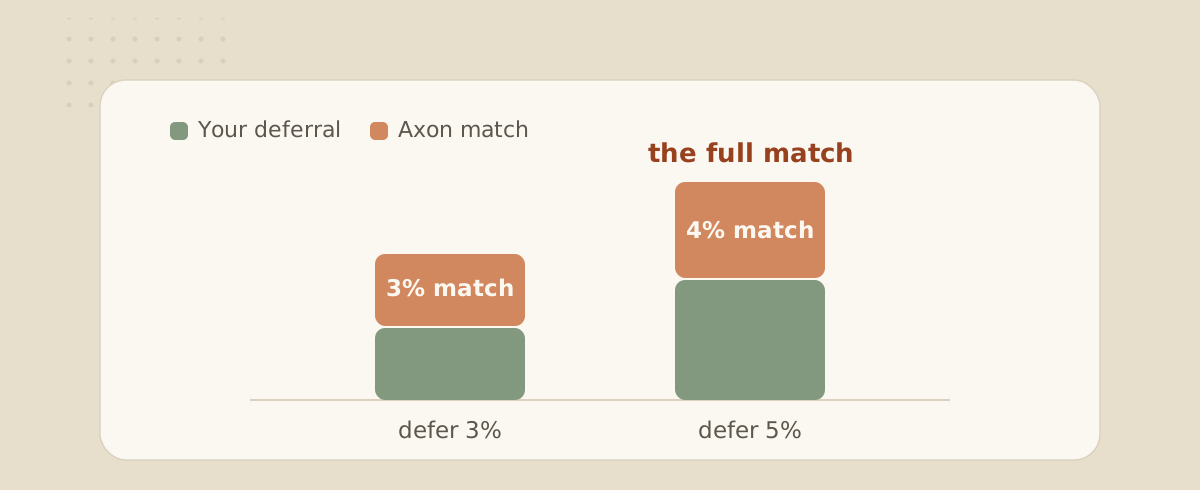
Intel matches every dollar you defer as pre-tax or Roth, up to 5% of your eligible pay. On a hypothetical $200,000 of eligible pay, deferring at least $10,000 can earn a $10,000 match if you contribute enough each paycheck or qualify for the annual true-up. The match is calculated each pay period on what you defer in that period, and it's yours immediately. Intel's benefits page says after-tax and catch-up contributions are not matched.
The match was higher in 2024, when Intel matched up to 7% of eligible pay. For paychecks dated after December 31, 2024, the plan document, section 19 sets it at 5%, so check that any figure you've seen elsewhere is current.
Because eligible pay stops at $360,000 for 2026, the maximum qualified-plan match is $18,000, provided you make enough eligible deferrals and satisfy the matching conditions. Intel's 2026 proxy statement, reporting 2025 benefits, says that when the tax code limits the match, the additional amount is credited to its non-qualified deferred compensation plan, which is open to certain highly compensated employees. That plan has its own eligibility rules, and its 2020 plan document caps the match there at what you elect to defer into it. Confirm current eligibility and terms before counting on a supplemental match.
If you contribute fast and reach the $24,500 regular IRS deferral limit before year end, regular pre-tax and Roth deferrals stop. Eligible catch-up contributions can continue, but Intel's benefits page excludes them from matching, so the paycheck match stops too. After the year ends, the plan adjusts the match for qualifying participants to reach the full annual rate, which it calls a true-up. On that $200,000 of eligible pay, paid evenly through the year, a 25% election reaches $24,500 about halfway through, with about $5,000 of match paid along the way. The true-up would add the rest, about $5,000.
Under section 19(b) of the plan, the true-up generally requires eligibility on December 31. Exceptions include death, disability, retirement as the plan defines it, and certain December job eliminations. One way to avoid relying on the true-up is to contribute at least 5% of eligible pay each paycheck.
2. Choose pre-tax or Roth or both
Your $24,500 can go in pre-tax, as Roth, or as any mix of the two, and Intel matches either one the same way. Pre-tax contributions lower your taxable income now, and withdrawals are taxed as income in retirement. Roth contributions are taxed now, and qualified withdrawals come out tax-free. If you were enrolled automatically, your contributions are going in pre-tax until you change them.
The choice comes down to your tax rate today against your expected rate in retirement. A year with large RSU vests can push your income into a higher bracket, which tends to favor pre-tax. Qualified Roth withdrawals don't add to taxable income later, which can give you more flexibility in retirement. Roth 401(k) money is also exempt from required minimum distributions during your lifetime.
3. Catch-up contributions
The year you turn 50, you can contribute an extra $8,000 for 2026 on top of the $24,500. If you turn 60, 61, 62 or 63 during the year, the extra amount is $11,250 instead of $8,000. If you turn 64 in 2026, the standard $8,000 catch-up applies again. Catch-up contributions are not matched.
A new rule applies from 2026. If your FICA wages from Intel for 2025 were more than $150,000 (generally Box 3 of your W-2 - confirm the wage test with Intel or Fidelity), your catch-up contributions must be Roth. Your regular $24,500 can still be pre-tax. Intel's plan document says catch-up contributions will be made on a Roth basis to the extent the law requires, so check your elections in NetBenefits to confirm how yours are set.
4. After-tax to Roth - AKA Mega Backdoor Roth
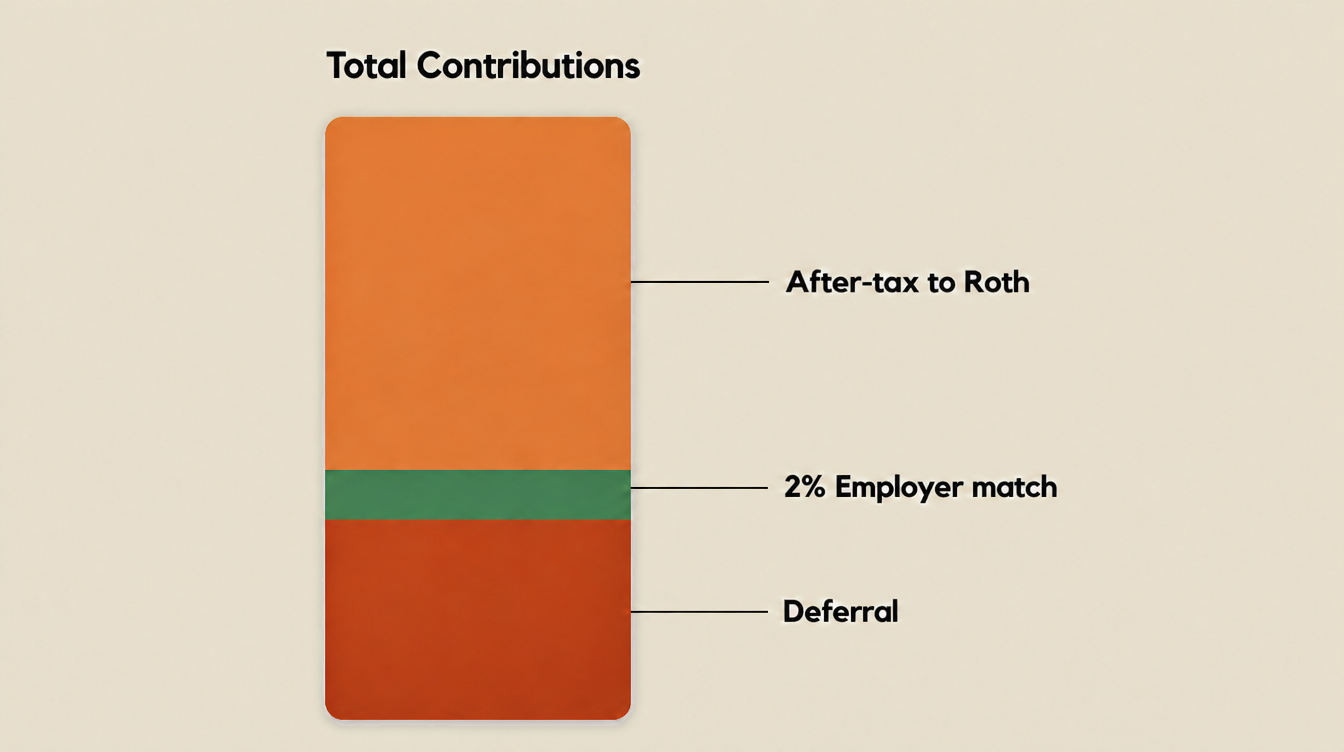
Intel's 401(k) permits after-tax contributions and elected Roth conversion, which can support a mega backdoor Roth. This means contributing after-tax money and then moving it to Roth. The 2026 annual-additions limit is the lesser of $72,000 or 100% of applicable compensation, counting regular employee deferrals, employer contributions and other applicable additions. Catch-up contributions sit outside that limit.
Intel's plan document doesn't set a separate dollar limit for after-tax contributions. Your room depends on what remains after your regular deferrals, match and any other applicable annual additions. With regular deferrals held constant, a larger match leaves less after-tax room until the recognized-pay cap is reached.
| Contribution | $200,000 of eligible pay | $360,000 or more |
|---|---|---|
| Pre-tax or Roth deferrals | $24,500 | $24,500 |
| Intel match | $10,000 | $18,000 |
| After-tax contributions | $37,500 | $29,500 |
| Total | $72,000 | $72,000 |
These examples assume the listed contributions are the only annual additions, you earn the full match, and the plan accepts the after-tax amount. Actual room may be lower because of plan limits or testing.
After-tax contributions have already been taxed. Their earnings grow tax-deferred and are taxable when paid out unless rolled over for continued deferral. Intel permits two routes to Roth:
- In-plan Roth conversion. You can elect to move all or part of your after-tax balance into a Roth account inside the plan under section 17(c). The election can't be undone.
- In-service withdrawal. While you're still employed, you can withdraw from the after-tax account and arrange a rollover. A distribution includes its proportional share of contributions and earnings. Under IRS rollover rules, contributions can go to a Roth IRA without being taxed again. Earnings sent to Roth are taxable, while eligible earnings sent to a traditional IRA continue to be tax-deferred.
The mega backdoor Roth also works alongside pre-tax contributions. You can make your regular $24,500 as pre-tax contributions and use separate after-tax contributions for Roth conversion, because Intel's plan lets you combine pre-tax, Roth and after-tax contributions in the same year. For a high earner weighing today's tax break against future Roth savings, that means you can keep the upfront tax break on your regular contributions and still build a Roth balance with the after-tax room.
Confirm automatic Roth conversion
Some plans can convert future after-tax contributions automatically, but Intel's public documents don't establish whether its plan offers that feature. Ask Fidelity whether automatic conversion is available, how often it runs, and whether an existing after-tax balance requires a separate election. Choosing after-tax contributions alone does not establish that conversions are active.
After-tax basis isn't taxed again when converted. Earnings converted to Roth are taxable, so waiting can increase the taxable amount if the investments gain value.
Two plan rules can reduce that room. Your combined elections can't exceed 50% of eligible pay. The plan document also lets the administrative committee limit or reduce after-tax contributions to keep the plan within IRS limits and nondiscrimination tests, so the amount you plan for isn't guaranteed.
In the $200,000 example, you contribute $62,000 from paychecks across the year. That is the contribution amount, not necessarily the reduction in take-home pay, because pre-tax deferrals affect withholding. Qualified Roth distributions generally require a five-taxable-year participation period plus age 59½, death or disability. Plan and Roth IRA holding-period rules differ, so confirm the clock that applies to your account.
That $62,000 competes with everything else your paycheck funds. If you're in the ESPP, between 2% and 15% of your pay, as that plan defines it, is withheld to buy Intel stock twice a year. RSU withholding can fall short of your tax liability, as our RSU tax and withholding strategies guide explains. Our RSU Tax Gap Calculator estimates a possible federal withholding shortfall under its stated assumptions so you can include it in your cash-flow plan.
You may need extra withholding or estimated payments during the year, with any remaining balance due when you file. Our guide to safe-harbor estimated tax payments explains the timing. One way to sequence your savings is to capture the full match, reserve cash for RSU taxes and your chosen ESPP participation, keep money accessible for near-term goals, and then decide how much after-tax room to use. The right order depends on your household.
5. Build your portfolio
You can group the plan's investment choices into three categories. The first is a series of Intel Target Date Funds, and if you're enrolled automatically and never make an investment choice, your money goes into the one that corresponds to your age. The second is a core lineup that, at the end of 2025, included BlackRock index funds for stocks and bonds, funds managed by Fidelity, Dodge & Cox and Capital Group, and a stable value fund. The third is a self-directed brokerage account that offers mutual funds and exchange-traded funds.
The plan also offers an Intel Stock Fund. Under section 12(b), you can't elect to direct more than 20% of future allocations into it or reallocate investments so it exceeds 20% of your total plan accounts. Market movements can take the holding above 20% without a new election.
Your employment income and Intel shares create different forms of exposure to the same employer. Consider your RSUs and ESPP shares alongside any Intel Stock Fund holding. Our video on holding too much company stock explains how those exposures can add up. Check current funds and fees in NetBenefits rather than relying on an older list.
6. Know the loan and withdrawal rules
Your own contributions and Intel's match are vested from day one, but access while you're working depends on the account. Section 6 of the plan permits withdrawals from the named pre-tax and Roth deferral accounts at age 59½ and hardship withdrawals for specified needs. You can also withdraw from the after-tax account while employed, subject to plan procedures. Withdrawal permission and tax treatment are separate - reaching 59½ alone does not make every Roth distribution qualified.
The plan also allows loans, generally subject to a 50% vested-balance ceiling and a $50,000 dollar ceiling. Current loans, the highest outstanding balance in the preceding 12 months, and other applicable employer-plan loans can reduce new borrowing capacity. No more than two loans may be outstanding across this plan and the Intel Retirement Contribution Plan. The 2025 plan filing describes interest based on prime plus 1% - confirm the current quote and repayment terms before borrowing.
Leaving Intel alone does not trigger a loan default under section 7(f), but distribution choices or missed payments can affect repayment. Review the plan's loan provisions before a job change.
Putting it together
Review these elections alongside your other savings and tax obligations.
This is a summary of how the plan works, not a recommendation. How much to contribute, how to split pre-tax and Roth, and which investments to hold depend on your full financial picture, your tax situation and your goals. The dollar examples in this article are hypothetical illustrations, not projections or results. Plan terms can change, so confirm the current terms in NetBenefits before acting.
| Decision | What to check |
|---|---|
| Capture the match | At least 5% of eligible pay each paycheck, or sufficient annual deferrals and true-up eligibility |
| Pre-tax or Roth | Your tax rate now against your expected rate in retirement |
| Catch-up | Your age at year-end, and whether 2025 Intel FICA wages topped $150,000 |
| Mega backdoor Roth | After-tax election, how conversions are handled, and cash flow |
| Investments | Your total Intel exposure across RSUs, ESPP and the Intel Stock Fund |
| Loans and withdrawals | What you can reach before 59½, and the loan limits |
Use your expected tax reserve and near-term cash needs when deciding how much after-tax room to use.
Have a question for a CFP® Professional?
Schedule a complimentary 60-minute intro. Our pricing is a flat annual fee - this fee calculator shows how that compares with an AUM% fee.
Book an intro callDisclosures: The information provided is for educational and informational purposes only and does not constitute investment, tax, or legal advice and should not be relied on as such. It is not a solicitation to buy or an offer to sell any security. It does not take into account any individual's particular investment objectives, financial situation, or needs. You should consult your own financial advisor, tax advisor, or attorney before acting on any information herein. All investing involves risk, including the possible loss of principal. Figures and tax limits referenced are for the applicable tax year and are subject to change. Valence Wealth, LLC is a registered investment advisor in the State of Arizona. Registration does not imply any specific level of skill or training. Valence Wealth is not affiliated with, endorsed by, or sponsored by Intel Corporation, Fidelity Investments, BlackRock, or any fund company. Plan terms are summarized from Intel's public filings and plan documents as of the date of publication and can change at any time. References to any fund, fund company or security, including Intel stock, describe the plan's investment menu and are not a recommendation to buy, sell or hold. Hypothetical examples are not actual results or forecasts.
Sources
- Intel 401(k) Savings Plan, as amended and restated effective September 30, 2025 (Exhibit 10.5 to Intel's Form 10-Q for the quarter ended September 27, 2025)U.S. Securities and Exchange Commission
- Intel 401(k) Savings Plan, Form 11-K for the plan year ended December 31, 2025U.S. Securities and Exchange Commission
- Intel benefits education: Retirement Plans Through FidelityIntel
- Intel 2026 Proxy StatementU.S. Securities and Exchange Commission
- IRS Notice 2025-67: 2026 limitations for retirement plansInternal Revenue Service
- IRS: retirement topics, catch-up contributionsInternal Revenue Service
- IRS: retirement plans FAQs on designated Roth accountsInternal Revenue Service
- IRS: required minimum distributions FAQsInternal Revenue Service
- IRS: rollovers of after-tax contributions in retirement plansInternal Revenue Service
- After-tax 401(k) contributionsFidelity Investments
- IRS Publication 15 (2026), supplemental wagesInternal Revenue Service
- Final regulations on catch-up contributions (Roth catch-up rule)Federal Register
- Intel Corporation Sheltered Employee Retirement Plan Plus, as amended and restated effective January 1, 2020 (Exhibit 10.3 to Intel's Form 10-Q for the quarter ended March 28, 2020)U.S. Securities and Exchange Commission